Can I add new languages to my categories and sub-categories in Inspeq?
Yes! The platform includes a feature that allows you to add multiple languages to your Inspeq app. It currently supports English, Spanish, Portuguese, German, Italian and French.
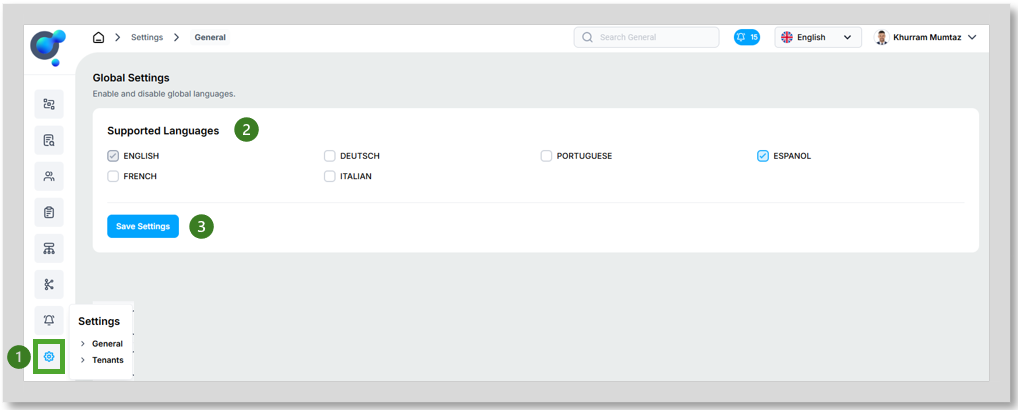
Go to the homepage, open up “Settings” and click on “General” (1). Select the language(s) you want to add to Inspeq (2) and click on “Save Setting” (3). However, it is important to note that while the app supports these languages, you will be responsible for providing translations for all elements within a category, including categories, sub-categories, sections, and fields.
Let's look at a couple of examples on how to add a different language on different scenarios:
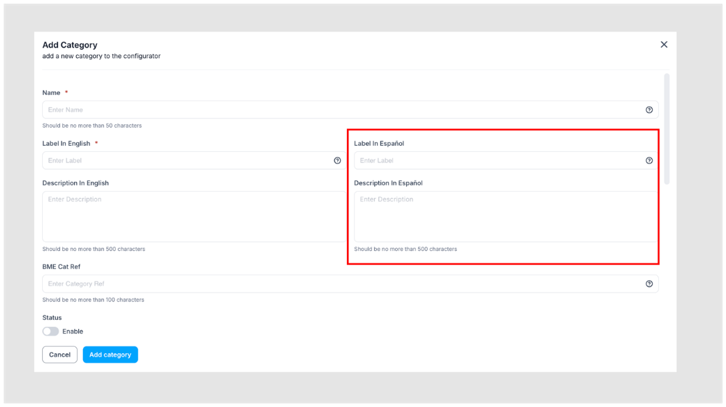
When creating a category from scratch: Before adding a new category, make sure you have selected the desired languages in Global Settings. Then, click “Add New Category” to begin. The platform will display fields where you can enter translations for the languages you have chosen. In this example, Spanish (“Español”) has been selected. Proceed with the process as usual, filling out the translation fields as they appear on the platform.
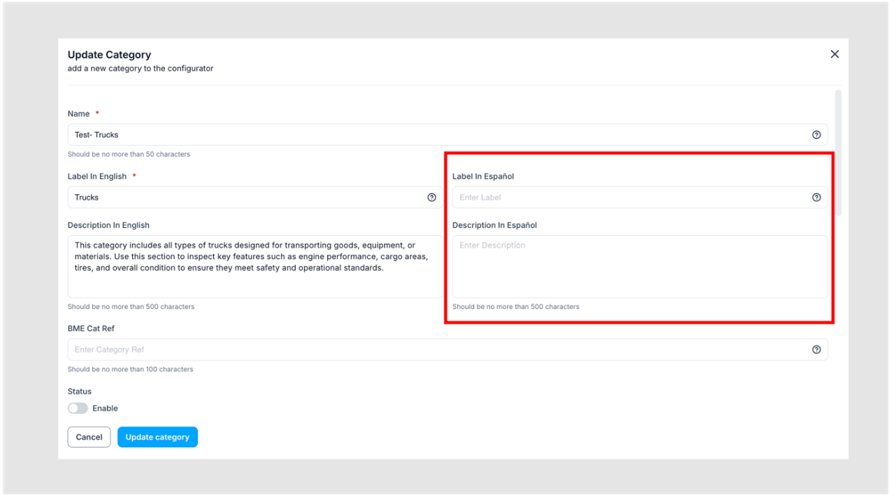
· When editing a previously created category: Before editing a preexisting category, make sure you have selected the desired languages in Global Settings. Then, go to the list of categories (1) and click on the “Edit” icon (2)
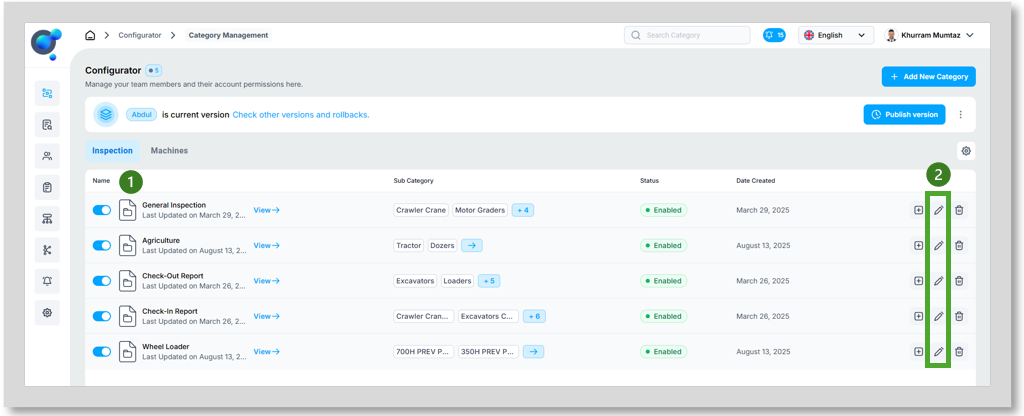
· The platform will display fields where you can enter translations for the languages you have selected. In this example, Spanish (“Español”) has been chosen.
Proceed with the process as usual, filling out the translation fields as they appear on the platform. Be sure to add translations across all levels: category, sub-category, sections, and fields. To do this, simply click on the pencil icon, which allows you to configure each level.