Can I customize the design of my Inspeq reports?
Yes! You can customize your reports to better align with your branding.
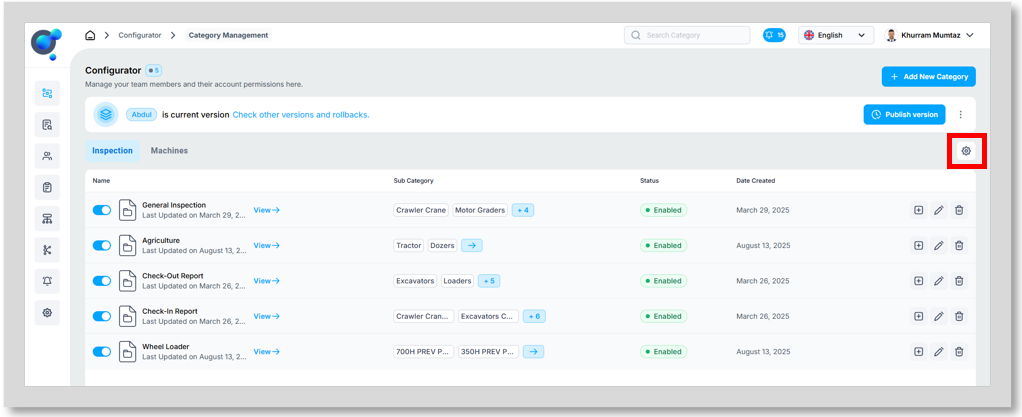
On the homepage, click on the settings icon under the “Add New Category” button.
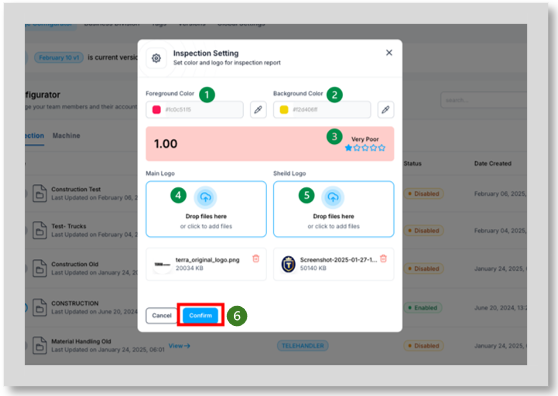
You will be taken to a new window where you can:
Choose a Foreground Colour. (1)
Choose a Background Colour. (2)
Assess the contrast of the chosen colours. (3)
Upload a Main Logo. (4) Generally, this will be your company logo.
Upload a Shield Logo. (5) Could be an authentication symbol to help build further trust in the inspections.
Click on “Confirm” (6)