
Can I update or delete my categories and sub-categories?
Yes, you can always update the categories and sub-categories you have created. Simply click on the pencil icon at each level of the configurator to make the necessary changes.
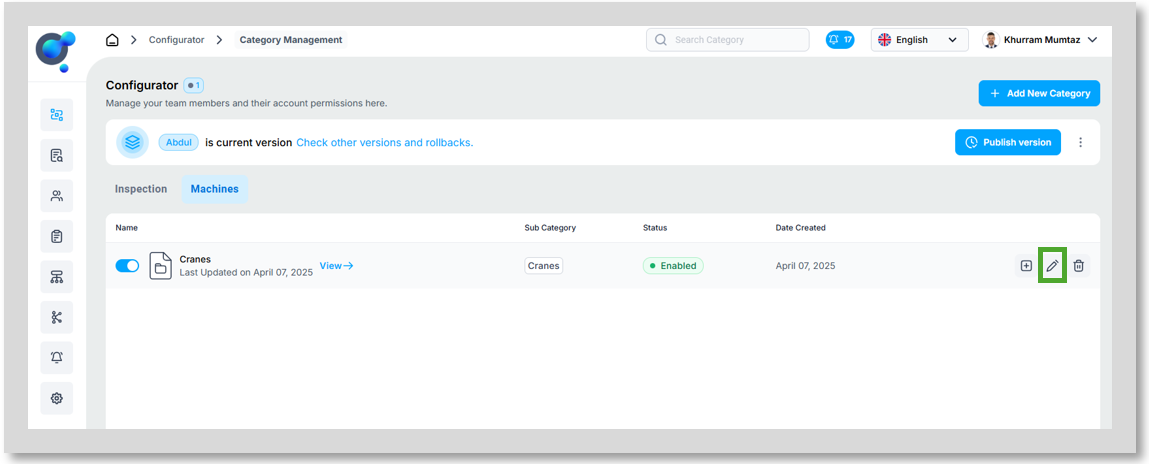
To delete, you can follow the same process, just using the “Delete” icon. Just keep in mind that if you have anything set up under that category, for example sub-categories set up under a category or sections under a sub-category, etc you will not be able to delete the from the top level. You need to clear out each reliance to that category first.
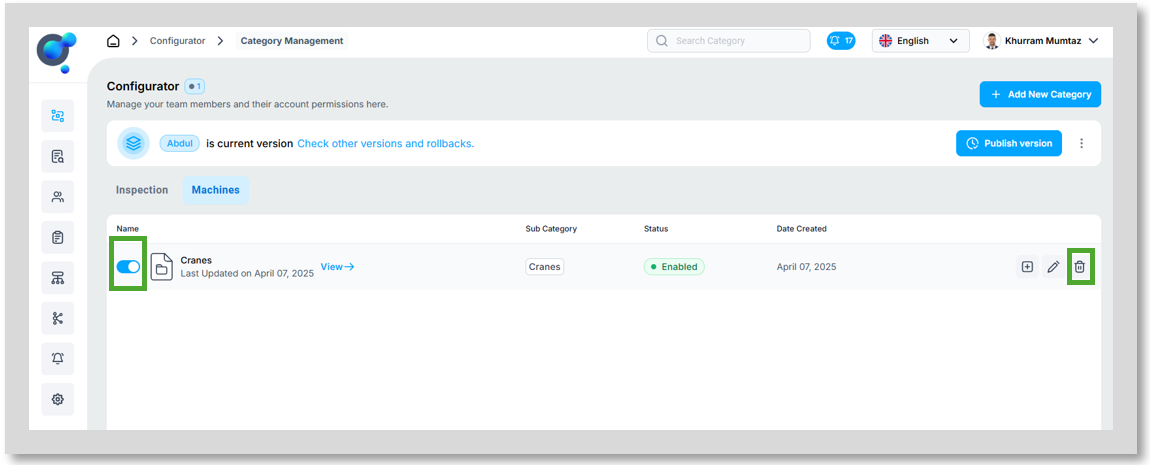
It is highly recommended to use the “Active/Deactive” toggle instead. If your choice is deactivated it will no longer be available on your Marketplace (once you have published the version) whilst removing the need to clear out all the reliant options set up. These will then also be available again to you should needed in the future.