
How can I create a new Inspeq category?
Before starting creating a new category remember that on Coreflex includes a feature that allows you to add multiple languages to your Inspeq app. It currently supports English, Spanish, Portuguese, German, and French. Do let your Customer Success Manager know if you need any additional Languages.
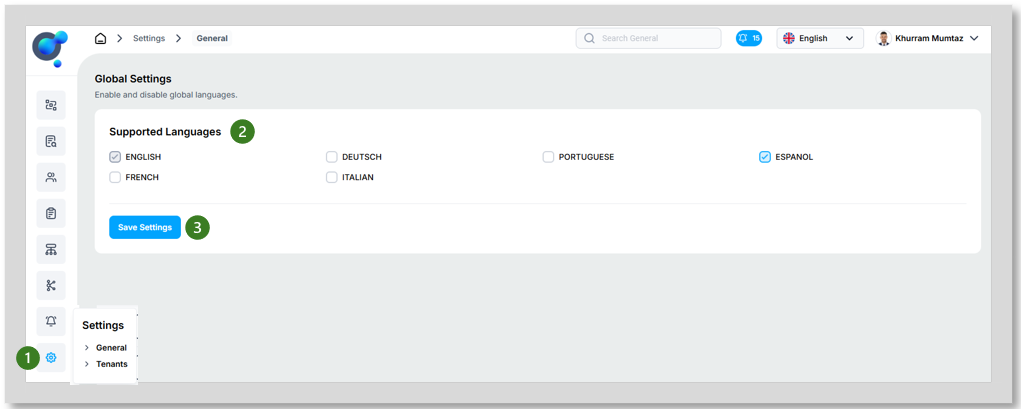
Go to the homepage, click on “General” under “Settings” (1), and select the Languages (2) you want to add to your Marketplace and click on “Save Setting” (3). However, it is important to note that while the app supports these languages, you will be responsible for providing translations for all elements within a category, including categories, sub-categories, sections, and fields.
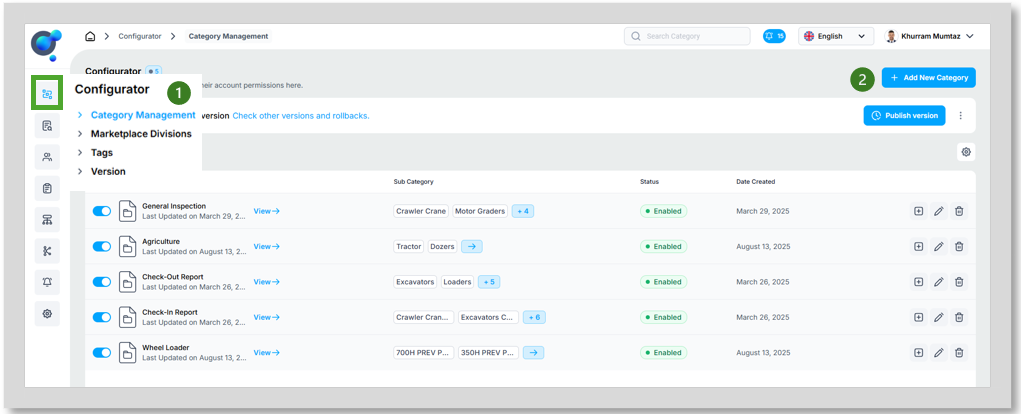
To create a new category, once you’re logged into your account, click on “Category Management” under Configurator icon (1) and then on “Add New Category” (2).
Start filling out all the fields:
Name (1): The internal name for the category.
Label in English (2): The public name of the category, displayed in English.
Description in English (3): A description of the category, written in English.
BME Cat Reference (4): This refers to an XML-based standard developed by the German association BME for the electronic exchange of product catalogue data between suppliers and buyers. It enables machine-readable data integration with systems such as ERPs, PIMs, and e-commerce platforms, ensuring efficient and accurate data communication in B2B transactions. If applicable, you can use this field to align your categories with external systems or catalogues. This field is optional and only necessary if it’s relevant to your workflows
Status (5): Enable or disable the category, this can also be updated later from the dashboard.
Type (Image) (6): Upload an image to serve as the icon for your category.
Click on “Add Category” (7).
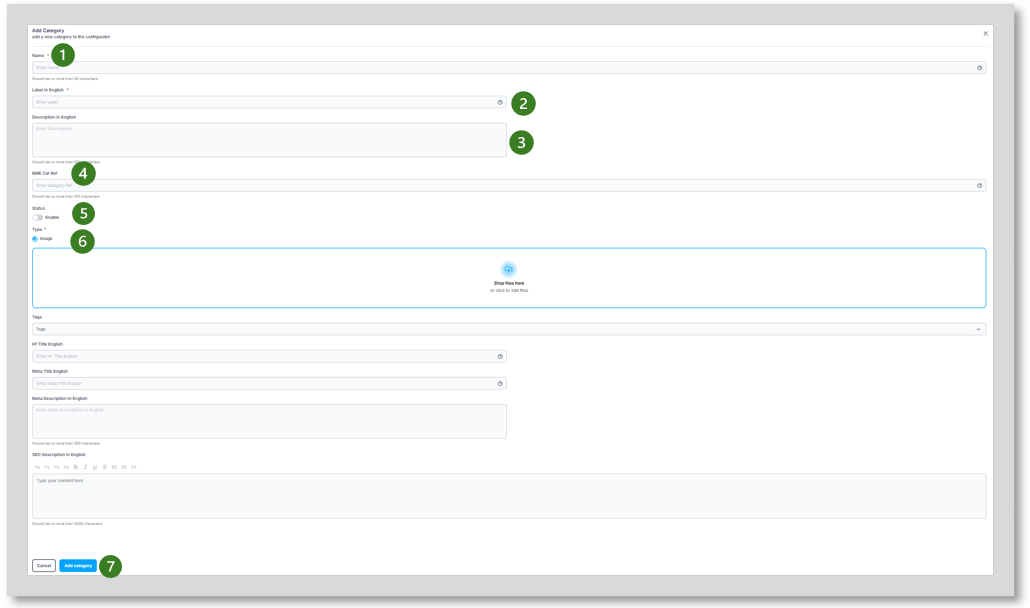
NOTE: The final five fields (Tags, H1 Title English, Meta Title English, Meta Description in English) are SEO components and are not relevant to Inspeq.