How do I get my changes reflecting on my marketplace?
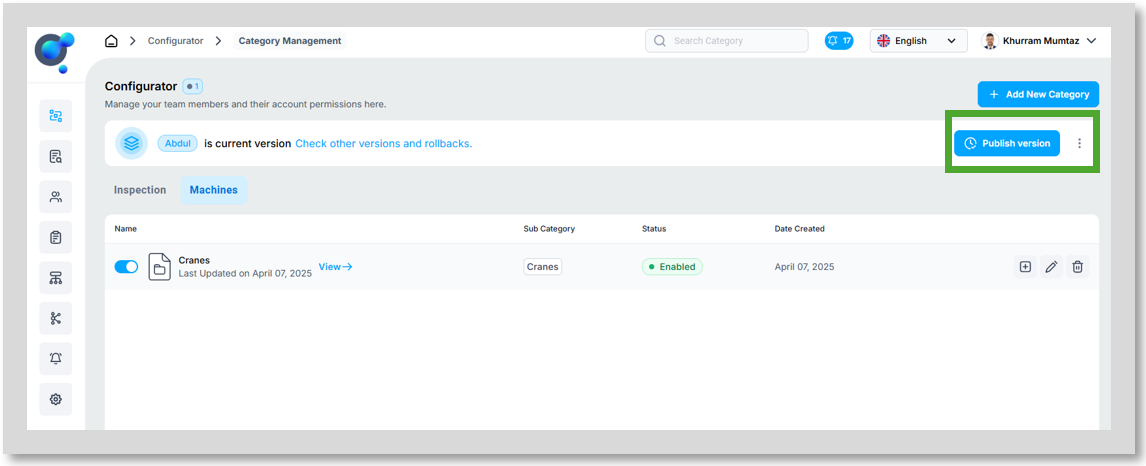
Once you have finished editing your categories, you need to publish your version. To do this, click on the Publish button on the homepage.
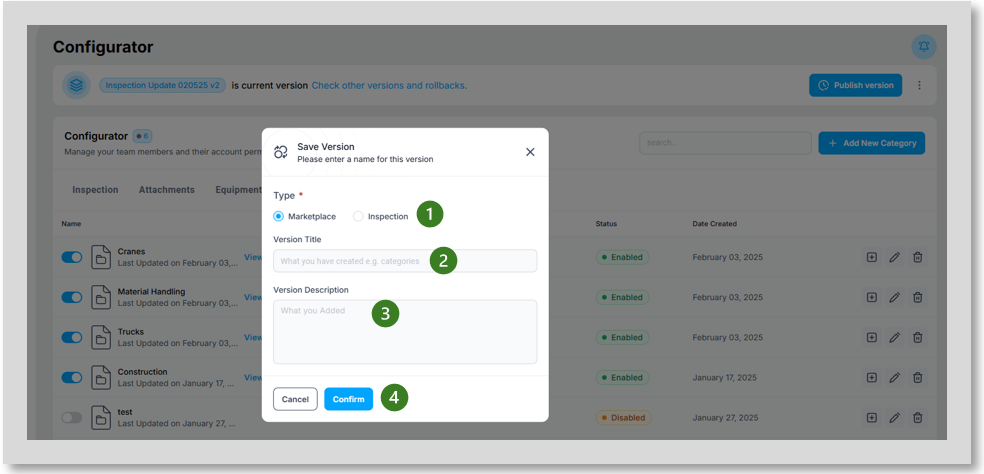
You will be taken to the next step, where you need to select the Type of Version: Select Marketplace (1). Then, enter a Title (2) for this version, add a Version Description (3) detailing the changes included, and finally, click Confirm (4) to proceed.
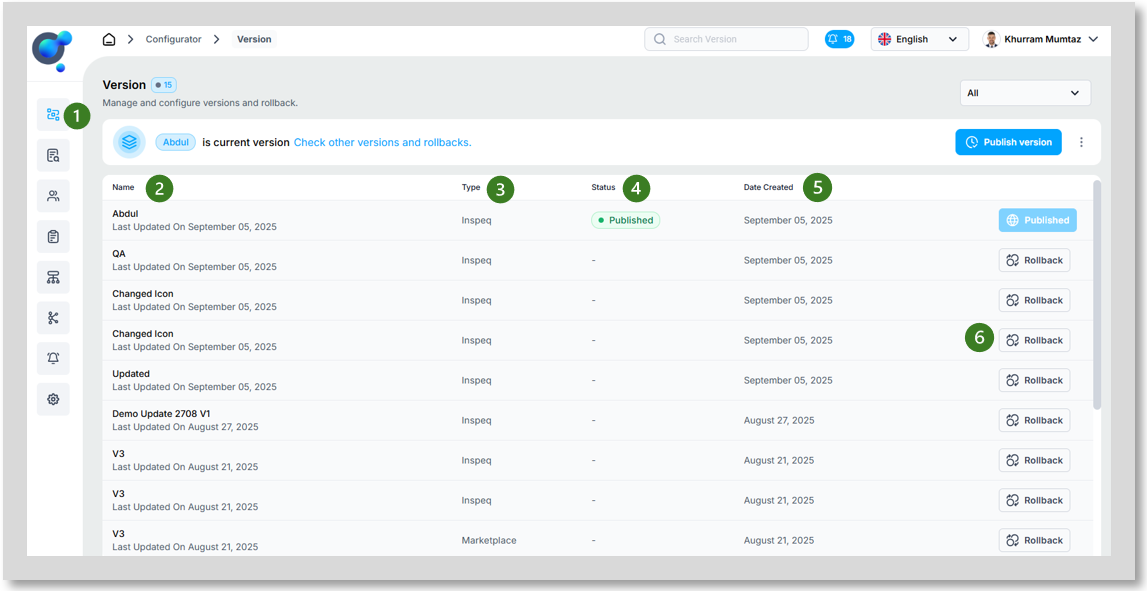
Once you’ve saved your new version, click on Versions (1) under “Configurator” icon on the side navigation. In this tab, you will see all your previously saved versions along with their details, including Version Name (2), Type (3), Status (4), and Date Created (5). From this tab, you can also Rollback (6) to a previous version of Inspeq if needed.