How do I get started with Coreflex for my Marketplace?
Once you log into your account, you will land on the homepage. From here, your journey with Coreflex begins.
IMPORTANT: It is crucial to ensure that you are on the correct tab when configuring your marketplace. Coreflex is a tool used to configure both the Krank platform and the Inspection app, Inspeq, which is why following this step correctly is essential should you have both products.
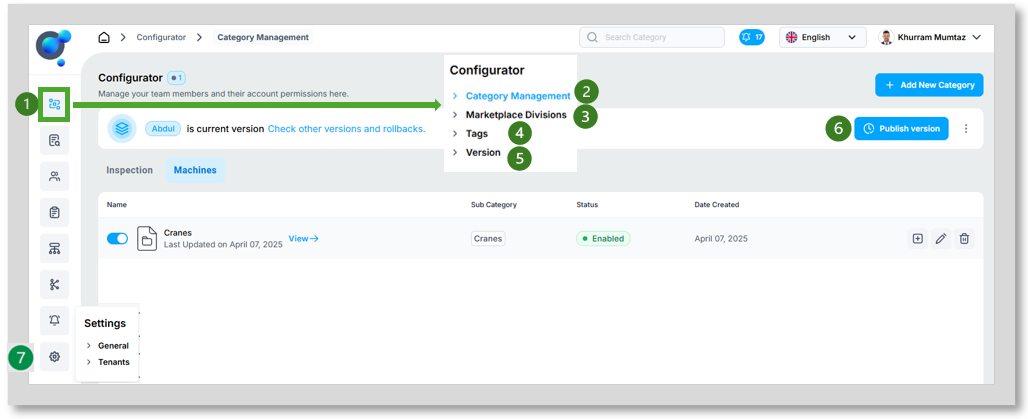
You have five main sections to explore:
To configure your marketplace categories and sub-categories, hover over the configurator icon (1) and click on “Category Management” (2).
To set up additional divisions for your marketplace, click on “Marketplace Divisions” (3).
To create and review your tags, click on “Tags” (4).
To publish the current version of your configurations, to view past version updates, and to rollback to previous versions, click on “Versions” (5). It is also possible to publish current version using the “Publish version” button on the home page (6).
To select which languages you wish to work with, click on “General” under “Settings” (7).
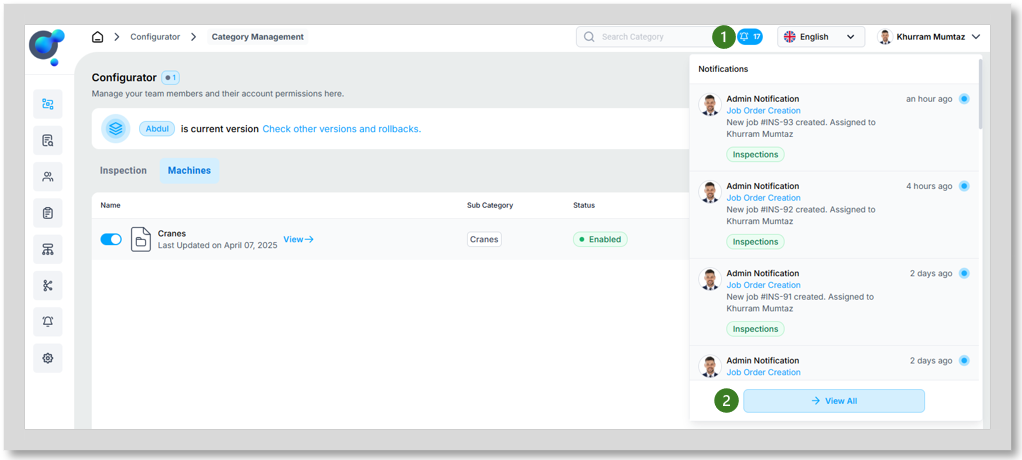
You can also view notification by clicking the “bell” icon in the top right corner (1) this will give a view of the latest activities for your account. You can explore further by clicking on “View All” (2).
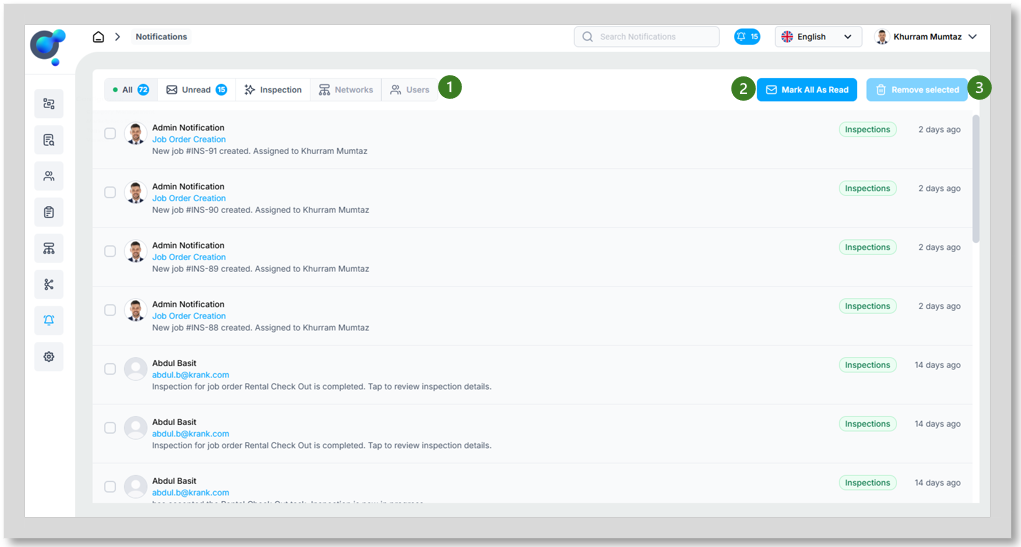
When through to the Notification Management page you can filter your notifications by “All”, “Unread” and then by type (Inspections, Networks and Users) depending on what is available (1). You can also quickly “Mark All as read” (2) and “Remove Selected” notifications (3).