
Can I compare two inspection reports and highlight any differences?
Yes! Coreflex utilises AI to compare check in and check out reports to produce a discrepancy report where differences are listed and ranked by severity.
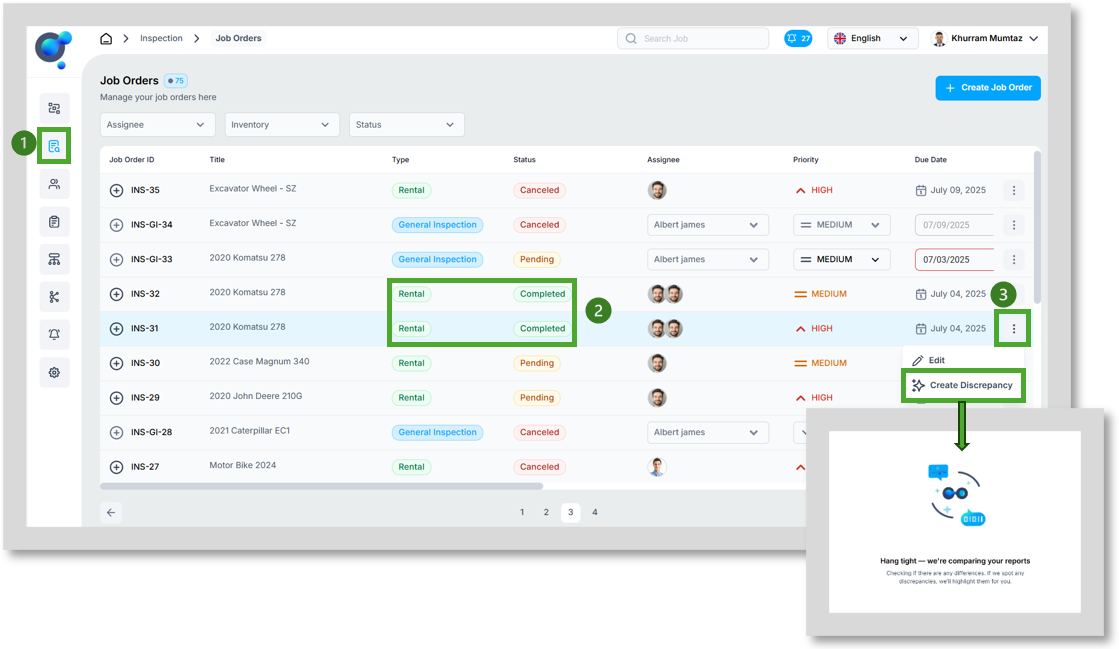
To create a discrepancy report, go to “Job Orders” under “Inspections” (1), find a rental check in report with completed check out report (2) and click the 3 dots at the end of the row (3) and “create discrepancy”
What does the discrepancy report include?
The report can be split into three sections:
1.
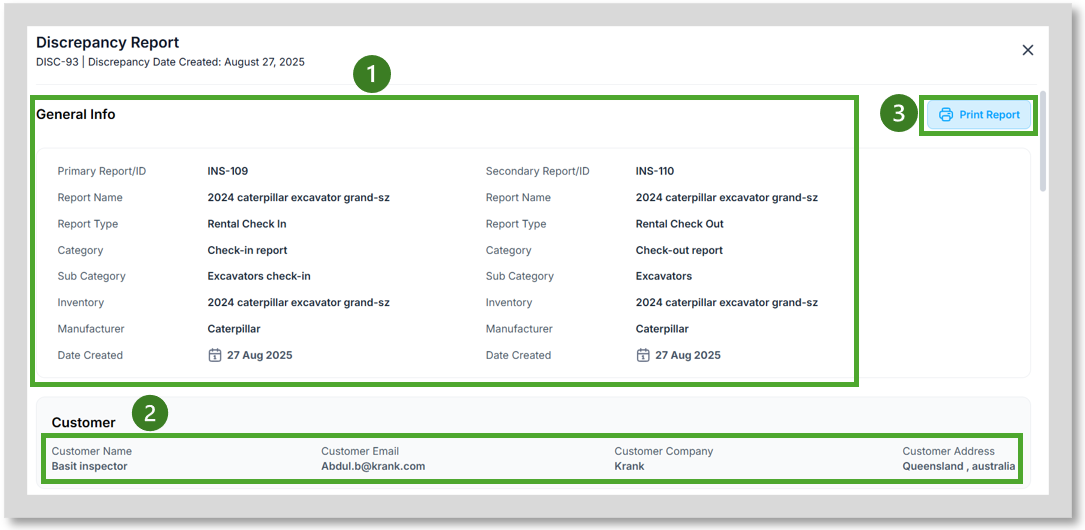
First section confirms which two reports are being compared with an overview of both primary and secondary reports (1), it also confirms the “customer” details that are associated with the two reports (2).
It is also possible to “Print Report” (3).
2.
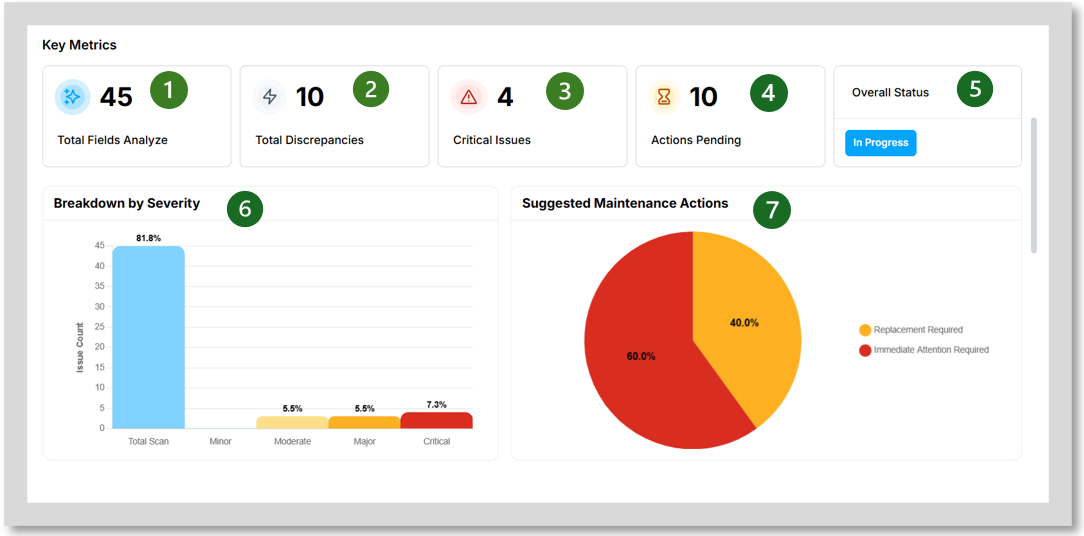
The second section provides a visual breakdown of the discrepancy report outputs. This includes a total count of fields analysed (1), the total number of discrepancies identified (2) and of these how many are critical issues (3) and how many actions are still pending (4). Overall status (5) will change once each discrepancy has been resolved in the third section.
There is also a graph breaking down the discrepancies by severity level- minor, moderate, major and critical (6). Finally, there is a pie chart breaking down the actions assosciated with each discrepancy (7).
3.
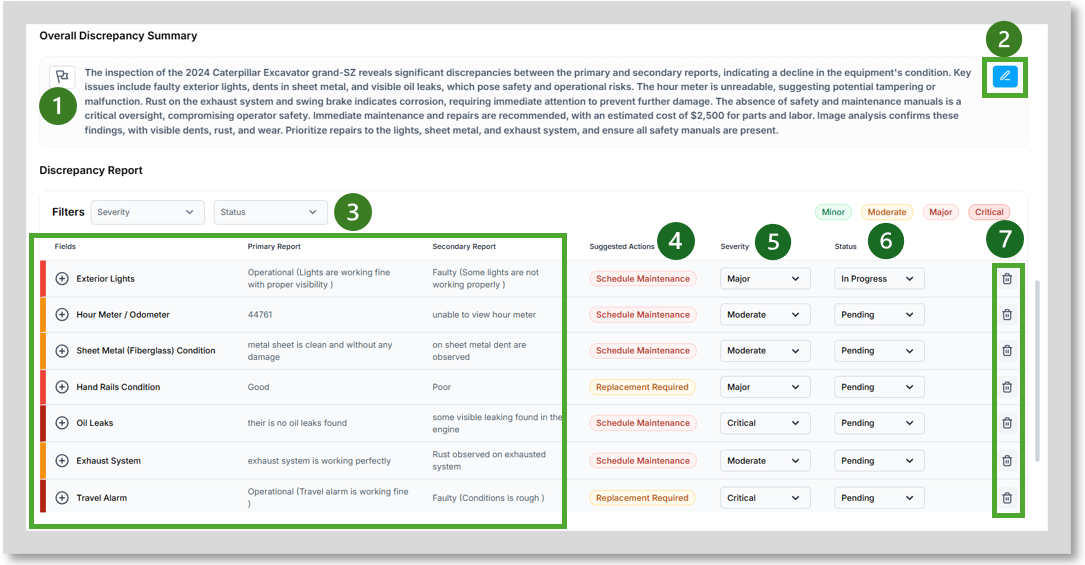
The final section of the report includes an AI written summary of the report (1), which is editable (2) to adjust what has been produced or include any additional comments.
The discrepancies are then listed out with overview of each field name and what was included in the primary and secondary report (3), suggested actions (4), severity ranking (Minor, Moderate, Major, Critical) (5) and status (Pending, In Progress, No Action Required, Done) (6) which are also adjustable using the drop downs. It is also possible to delete the discrepancy (7).