User Fields Configuration
The “Fields Configuration” page found under “User” provides an overview of all configured fields for the user sign up process. This means you can introduce additional custom fields in the signup process (e.g., user ID).
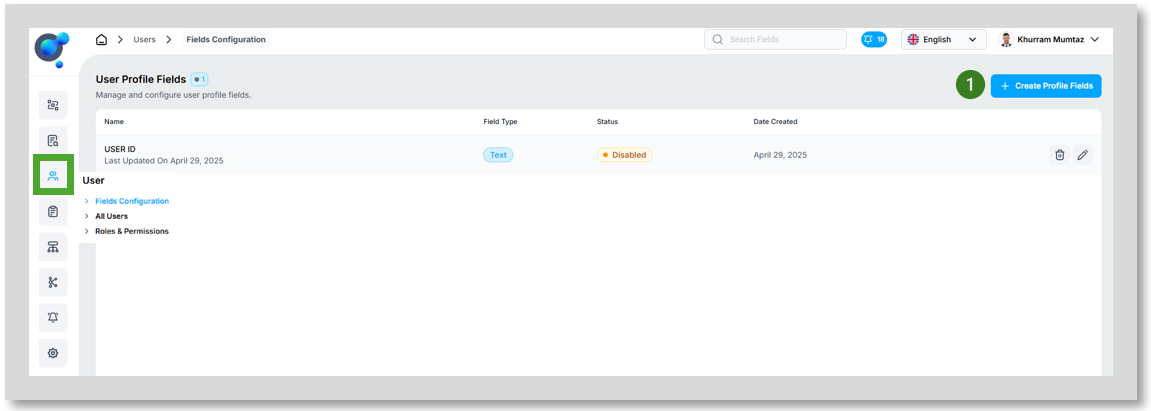
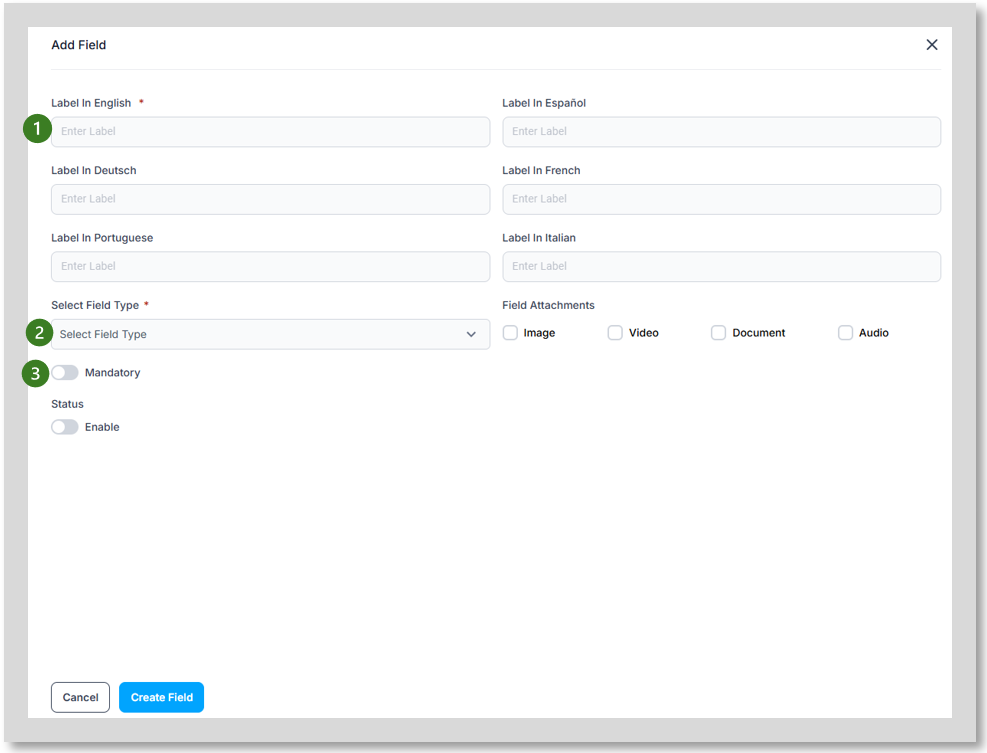
To set up a new field, click on “Create Profile Field” button (1) this will open an additional window:
· Label (1) provide name of field in all languages you wish to use.
· Customize field types (2) (numeric, text, dropdowns, etc.) and set what attachments are required (if any)
Set fields as mandatory (3) to ensure user provides the required information.