User Roles & Permissions
The “Roles & Permissions” page found under “User” provides an overview of all profiles and the member roles currently set up.
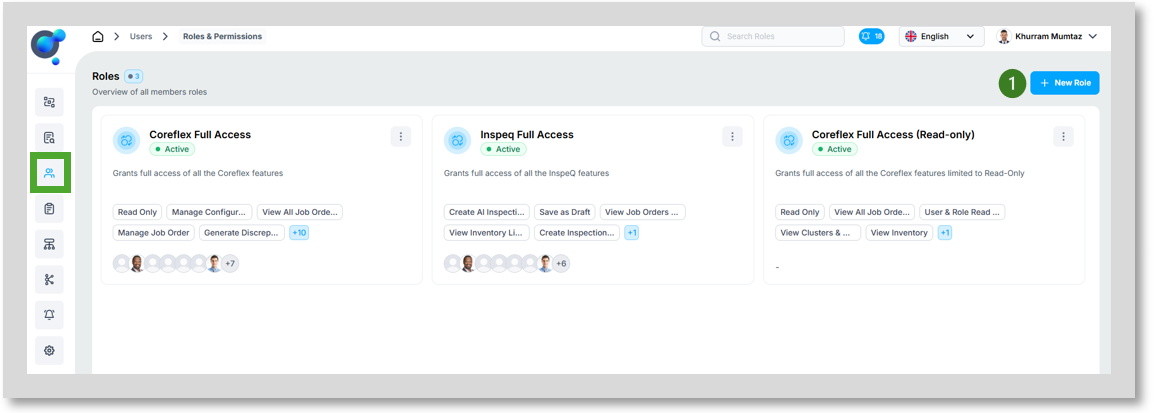
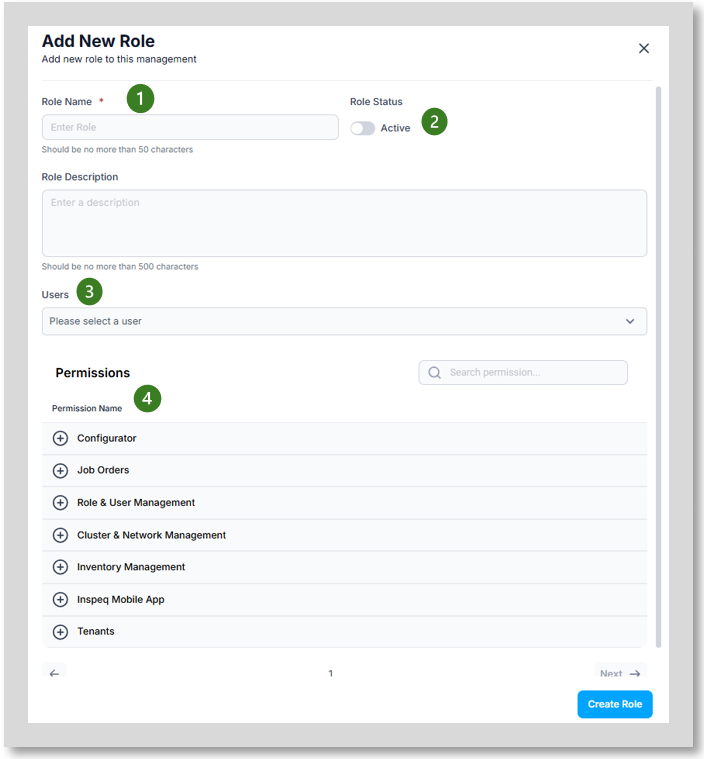
To set up a new role, click on “New Role” button (1) this will open an additional window:
· Role Name and Role Description (1) provide name and description for the new role.
· Role Status (2) activate/de-activate role.
Users (3) add all relevant users to be assigned this role.
Permissions (4) confirm the correct permissions for this role.